
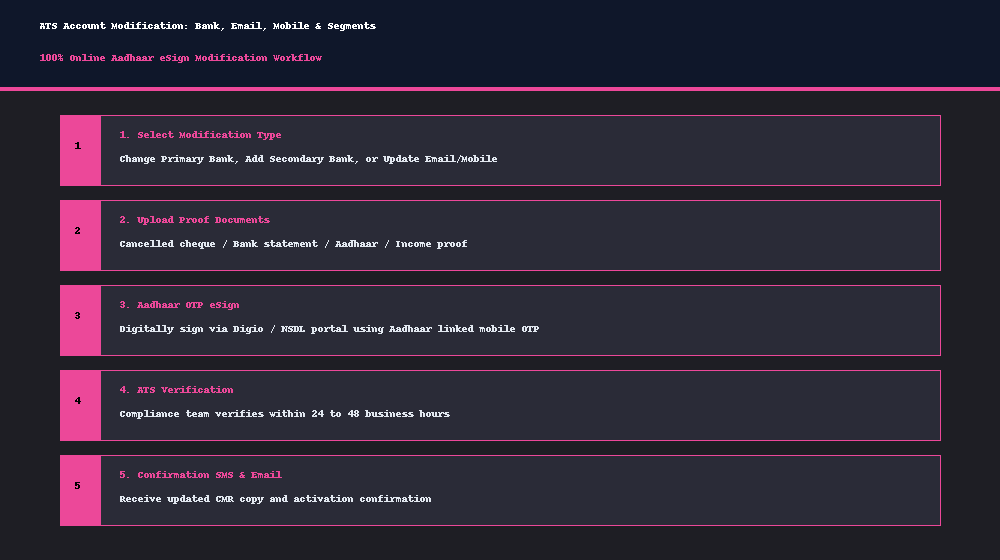
Acceptable Bank Proof Documents
- Personalized Cancelled Cheque with your name printed clearly on the leaf.
- Latest 3-month Bank Statement bearing bank stamp, account number, and IFSC code.
- Bank Passbook front page copy with photo and banker attestation.
Step-by-Step Procedure to Change Primary Bank
- Log in to your account at adityatrading.in.
- Navigate to Profile > Bank Accounts and select Modify Primary Bank.
- Enter your new Bank Account Number and IFSC code.
- Upload a clear photo or PDF of your cancelled cheque or bank statement.
- Click Submit with eSign to sign the modification annexure via Aadhaar OTP.
- Our operations team will verify the penny-drop and activate your new primary bank within 24-48 business hours.