PocketX guide

Getting Around the ATS Web Terminal

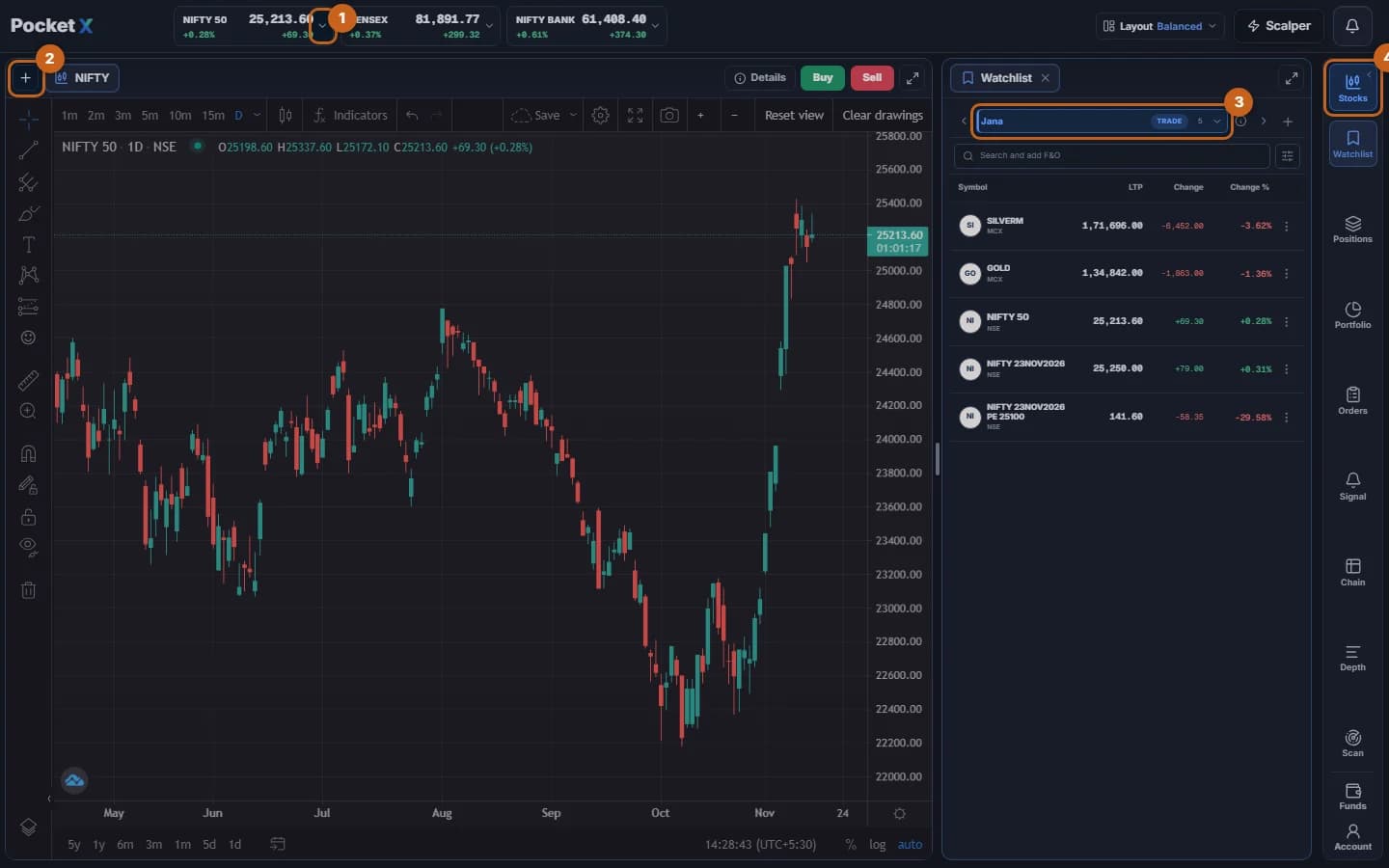
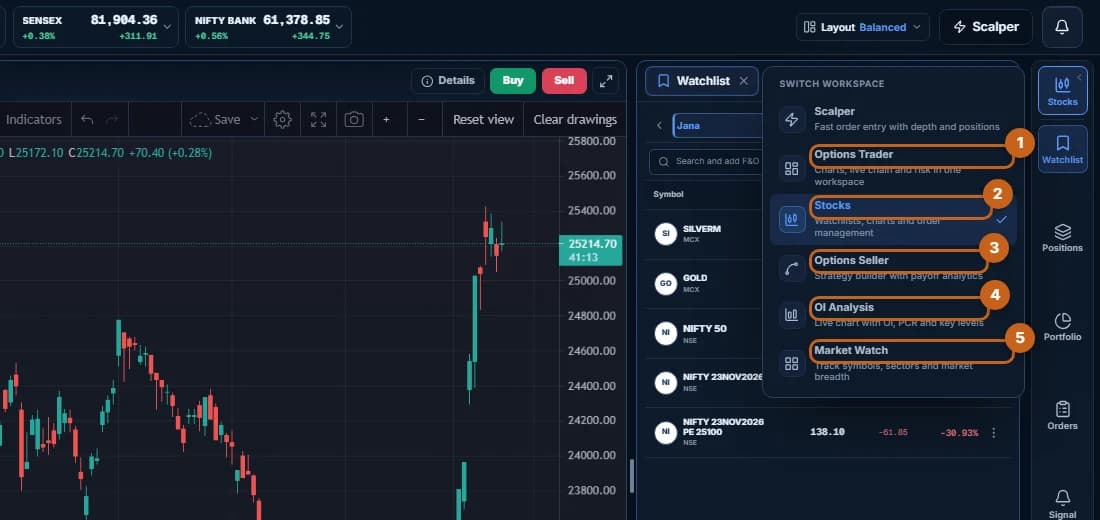
The terminal has a chart on the left, a side panel (watchlist, orders, positions and more) on the right, and a rail of icons down the right edge to switch panels. Workspaces rearrange the screen for different styles of trading.

  • 4 sections
  • 17 steps
  • 2 min read
PocketX terminal with the index ticker, chart, watchlist and rail highlighted

Get started with ATS

Open a free demat & trading account, or let us call you back — just leave your number.

Create a Support Ticket

Tell us what you need help with — our team will get back to you shortly. Urgent? Call +91 766 727 3344.