IPO Portal guide

How to Apply for an IPO on the IPO Portal

Applying on the IPO portal takes a couple of minutes. You pick the IPO and your investor type, enter your UPI ID, set up to three bids and submit. Then approve the UPI mandate in your UPI app to block the money.

  • 6 sections
  • 13 steps
  • 3 min read
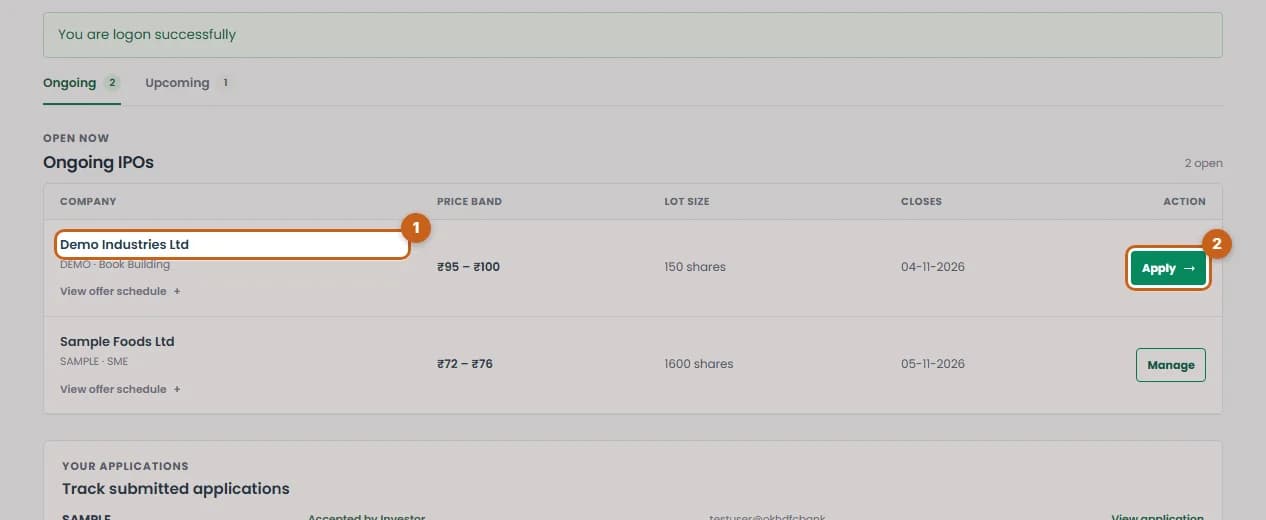
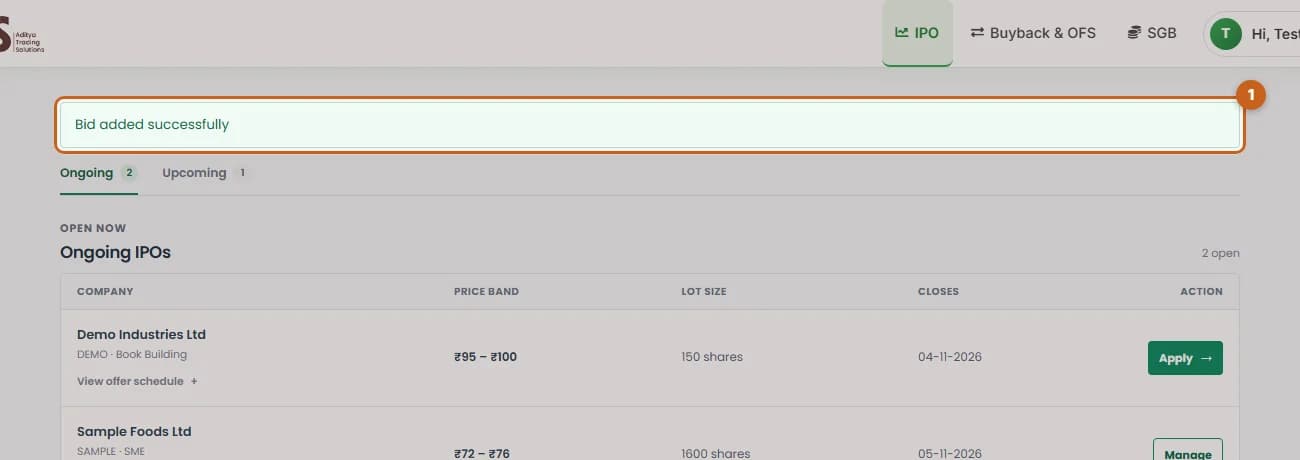
Ongoing IPO row with the company name and Apply button highlighted

In this guide

  1. Choose the IPO

    Find the IPO in the Ongoing list and press Apply.

    2 steps →
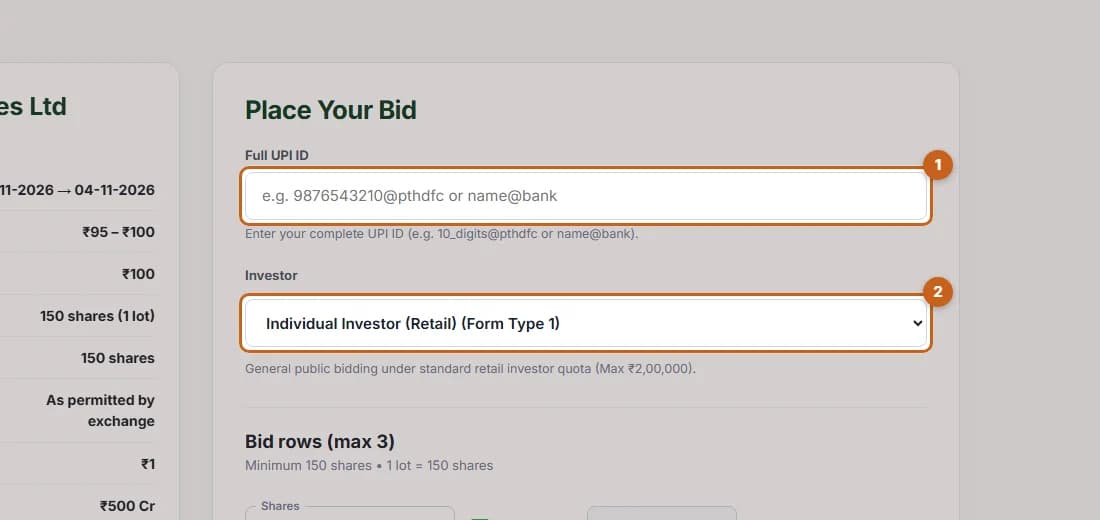
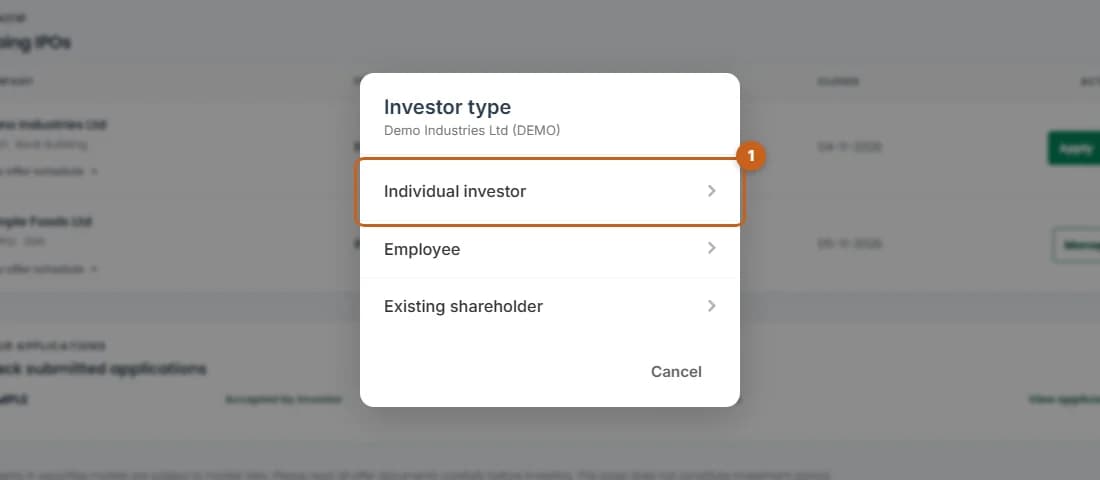
  2. Choose your investor type

    Pick Individual investor, Employee or Existing shareholder.

    1 step →
  3. Enter your UPI ID

    Type the UPI ID that will receive the mandate request and confirm your investor category.

    2 steps →
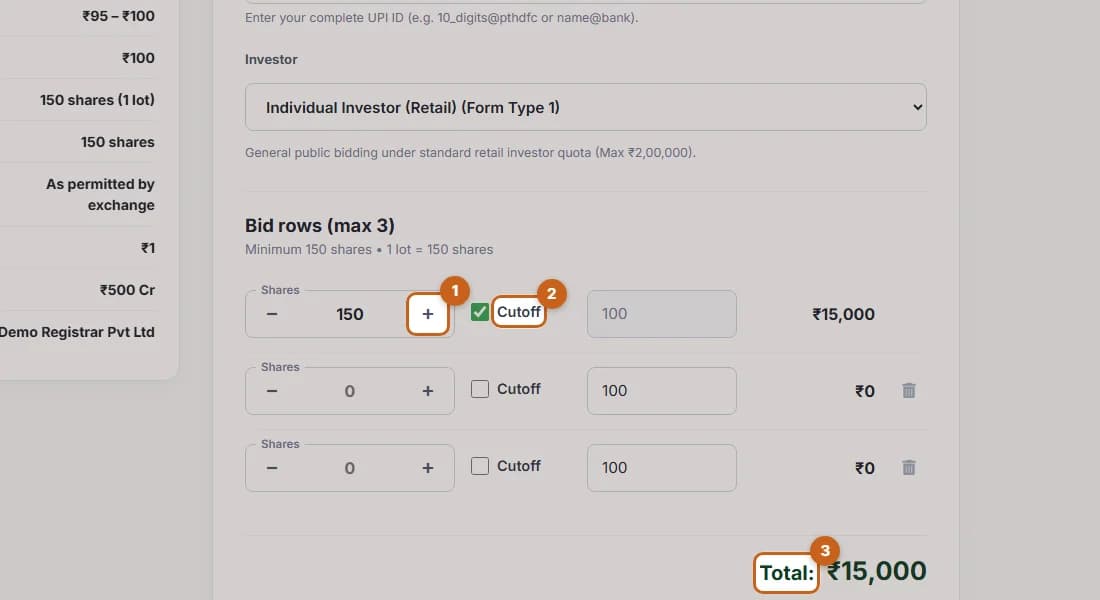
  4. Enter your bid

    Set the number of shares, bid at cut-off or at a price, and check the total.

    3 steps →
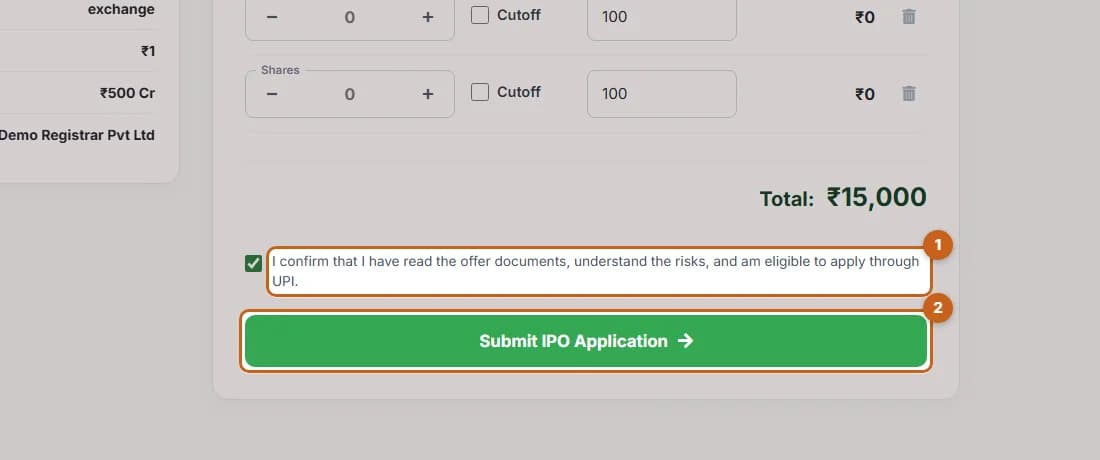
  5. Confirm and submit

    Tick the confirmation and press Submit IPO Application.

    2 steps →
  6. Approve the UPI mandate

    Approve the mandate in your UPI app to complete the application.

    3 steps →

Get started with ATS

Open a free demat & trading account, or let us call you back — just leave your number.

Create a Support Ticket

Tell us what you need help with — our team will get back to you shortly. Urgent? Call +91 766 727 3344.