IPO Portal guide

How to View Open and Upcoming IPOs

After you log in, the IPO page lists every open issue, with a second tab for issues opening soon. Each issue also has an offer schedule showing the key dates through to listing.

  • 3 sections
  • 7 steps
  • 2 min read
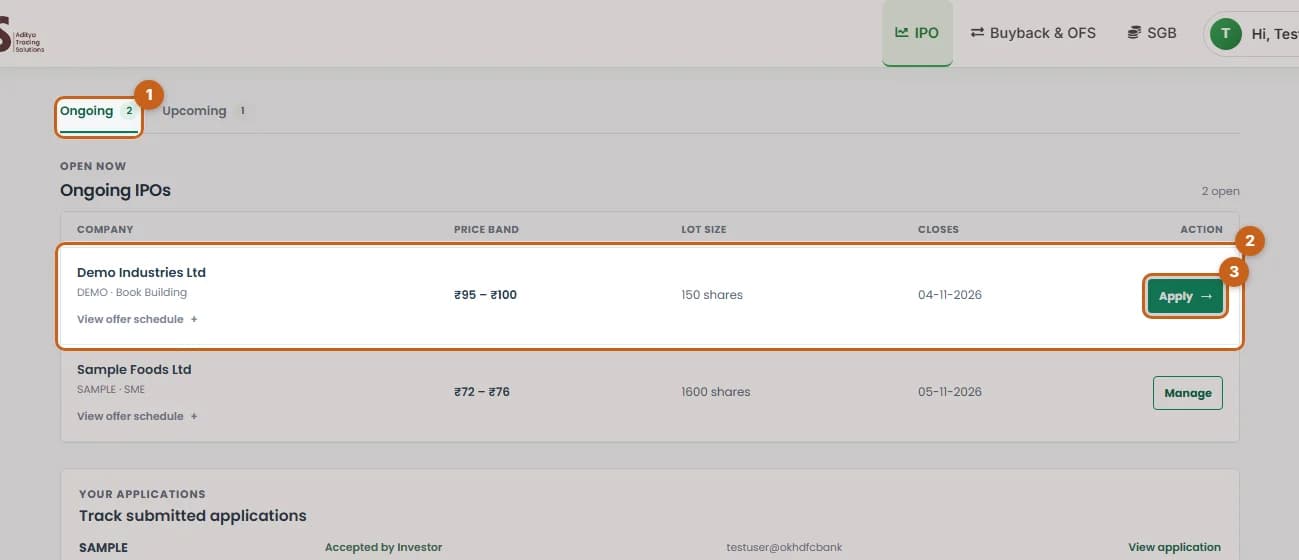
Ongoing IPOs table with the tab, an IPO row and its Apply button highlighted

In this guide

  1. See open IPOs

    The Ongoing tab lists every IPO open for bidding today.

    3 steps →
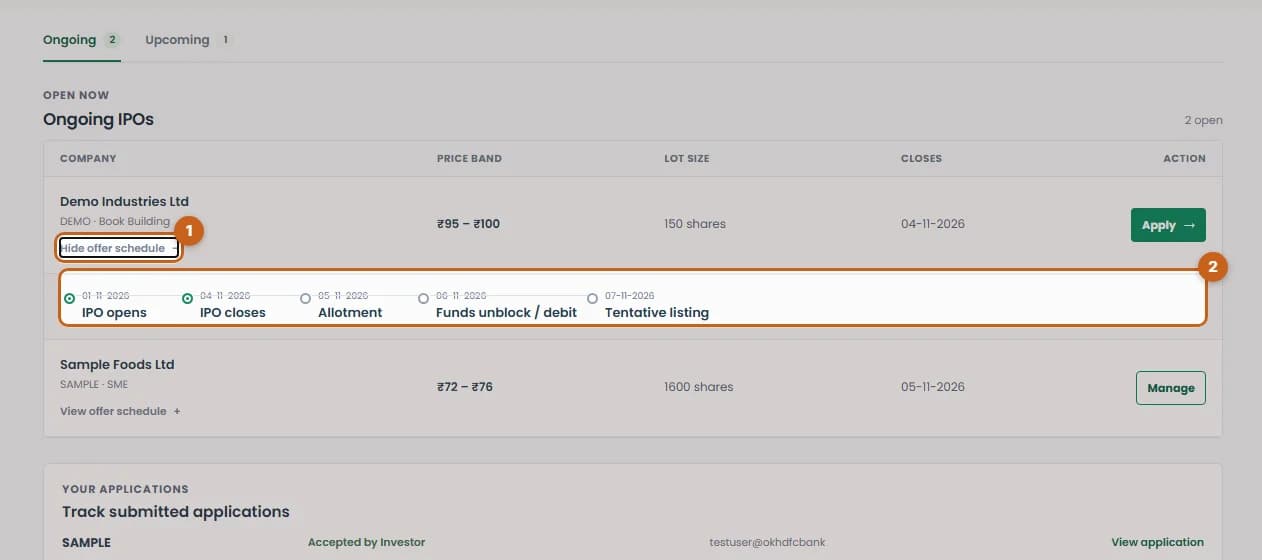
  2. Check the offer schedule

    Open the offer schedule to see when the IPO opens and closes, and the allotment, refund and listing dates.

    2 steps →
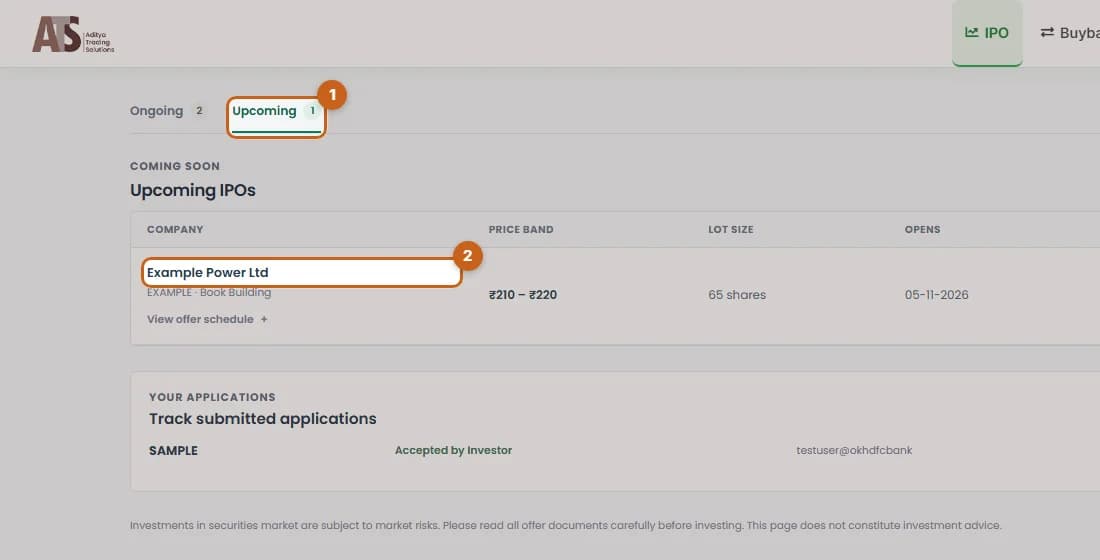
  3. See upcoming IPOs

    The Upcoming tab lists announced IPOs that are not open yet.

    2 steps →

Get started with ATS

Open a free demat & trading account, or let us call you back — just leave your number.

Create a Support Ticket

Tell us what you need help with — our team will get back to you shortly. Urgent? Call +91 766 727 3344.