IPO Portal guide
How to Track Your IPO Applications
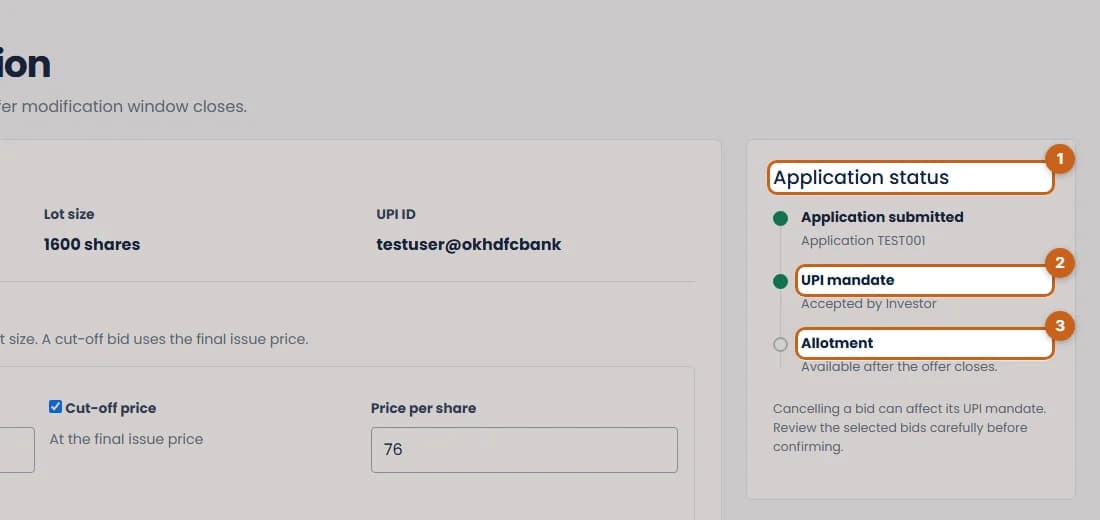
The IPO page shows every application you've submitted, its UPI mandate status and its full bid history. The application page shows where it stands, from submission to allotment.
- 3 sections
- 10 steps
- 2 min read
In this guide
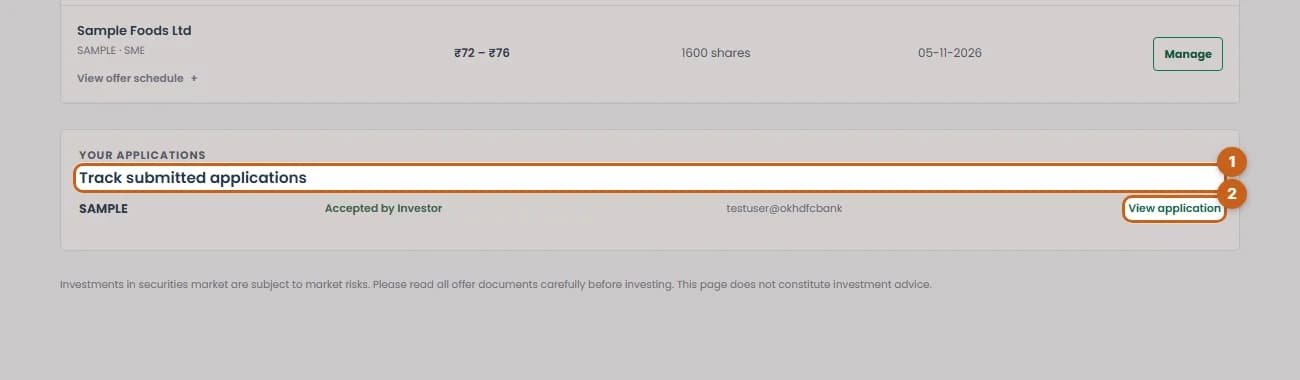
Track submitted applications
See your current applications and their mandate status on the IPO page.
2 steps →Use Bid History
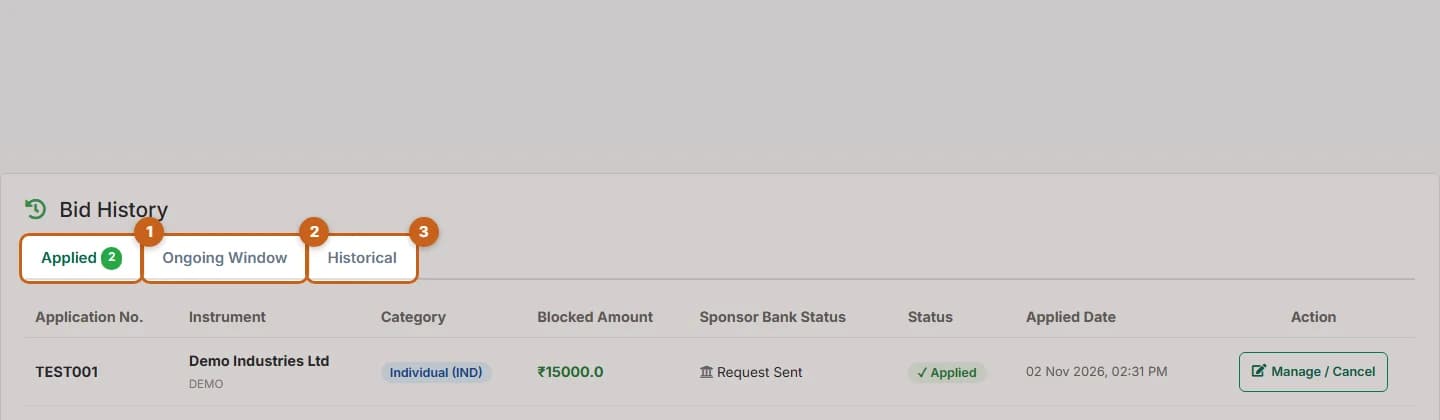
Bid History lists applications with blocked amount, sponsor bank status and status.
5 steps →Read the application status
The application page shows a three-step status: submitted, UPI mandate and allotment.
3 steps →