Website IPO guide
How to Apply for an IPO on adityatrading.in
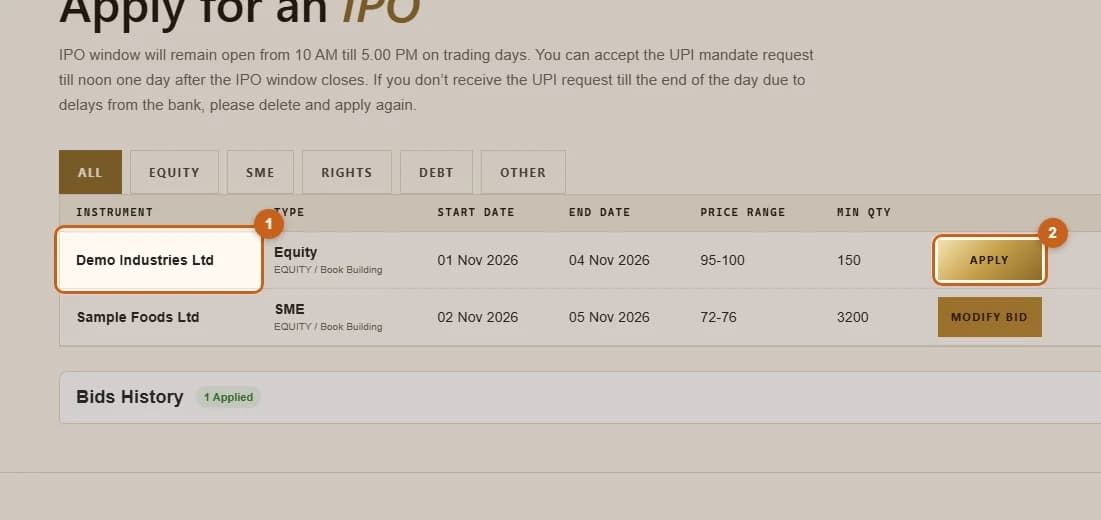
Applying takes about two minutes. You choose the IPO, enter your UPI ID, pick your investor category, enter up to three bids and place the application. Then you approve the UPI mandate in your UPI app. The money stays blocked in your bank account until allotment.
- 5 sections
- 13 steps
- 3 min read
In this guide
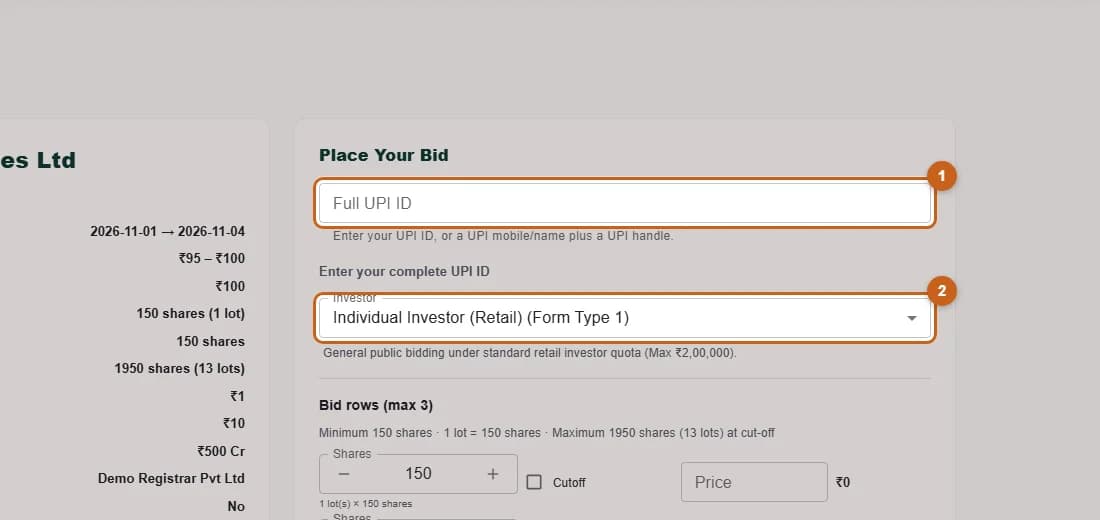
Enter your UPI ID and investor type
Type the UPI ID that will receive the mandate and choose your investor category.
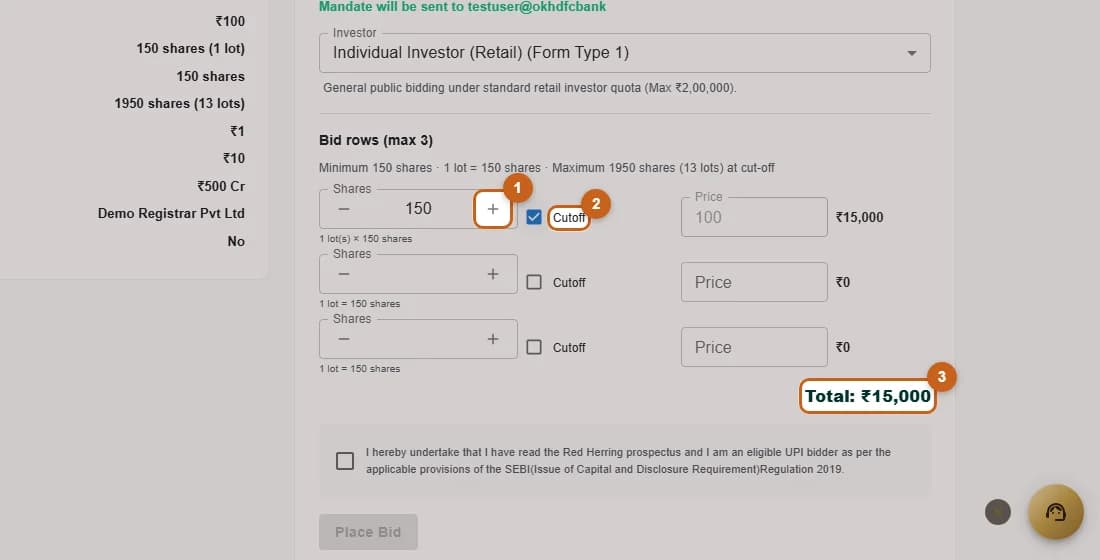
2 steps →Enter your bid
Choose how many shares to apply for, bid at cut-off or at a price, and check the total.
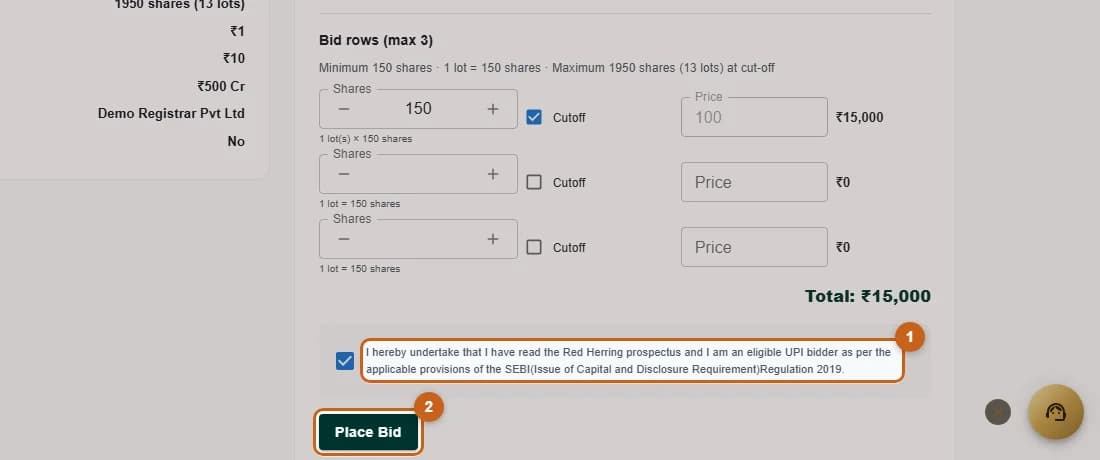
3 steps →Accept the declaration and place your bid
Confirm the declaration and press Place Bid to submit your IPO application.
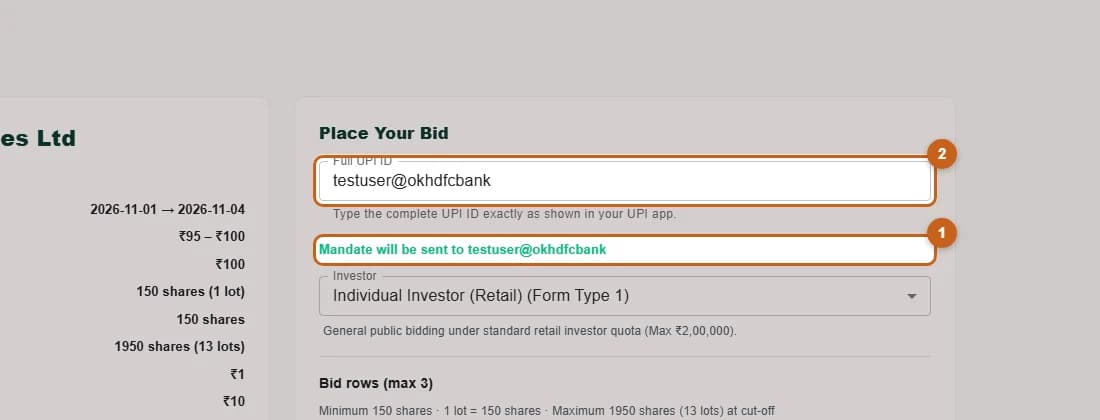
2 steps →Approve the UPI mandate
Approve the mandate request in your UPI app to block the money. Without approval, the application is not complete.
4 steps →