Axon guide
How to Download Your Tax P&L Report in Axon
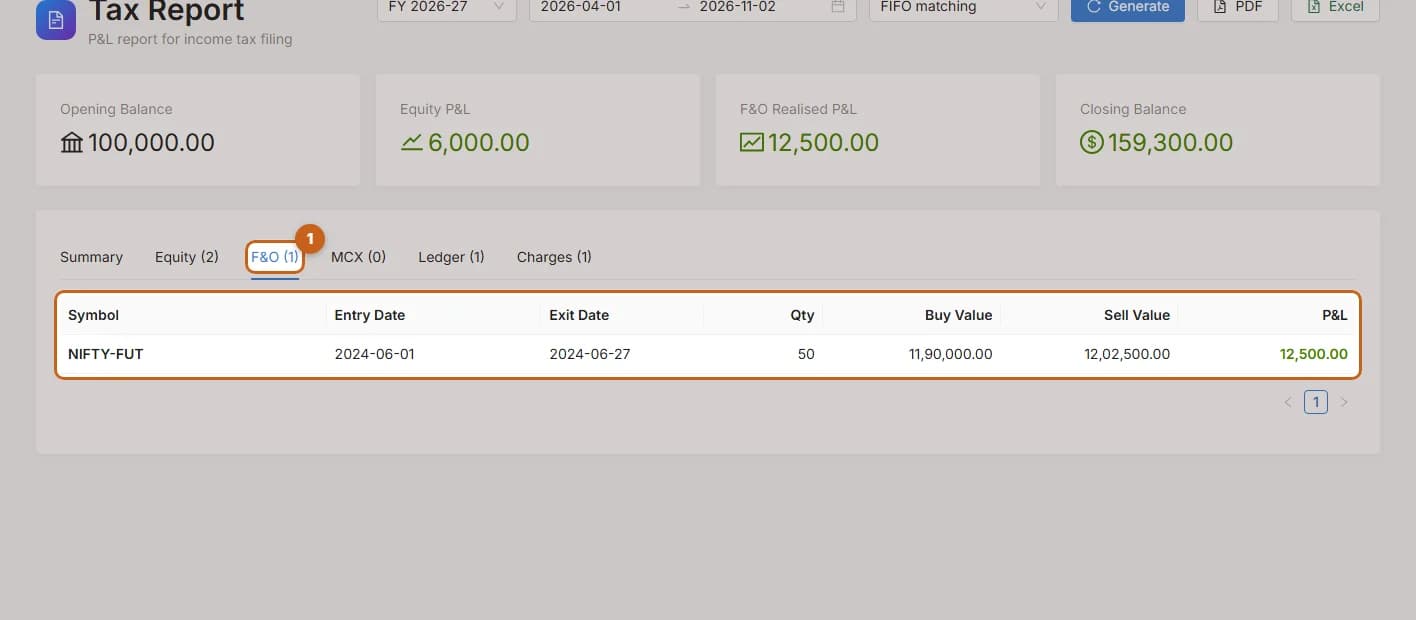
The Tax Report gives you the P&L figures you need for your income-tax return, for any financial year.
- 5 sections
- 11 steps
- 3 min read
In this guide
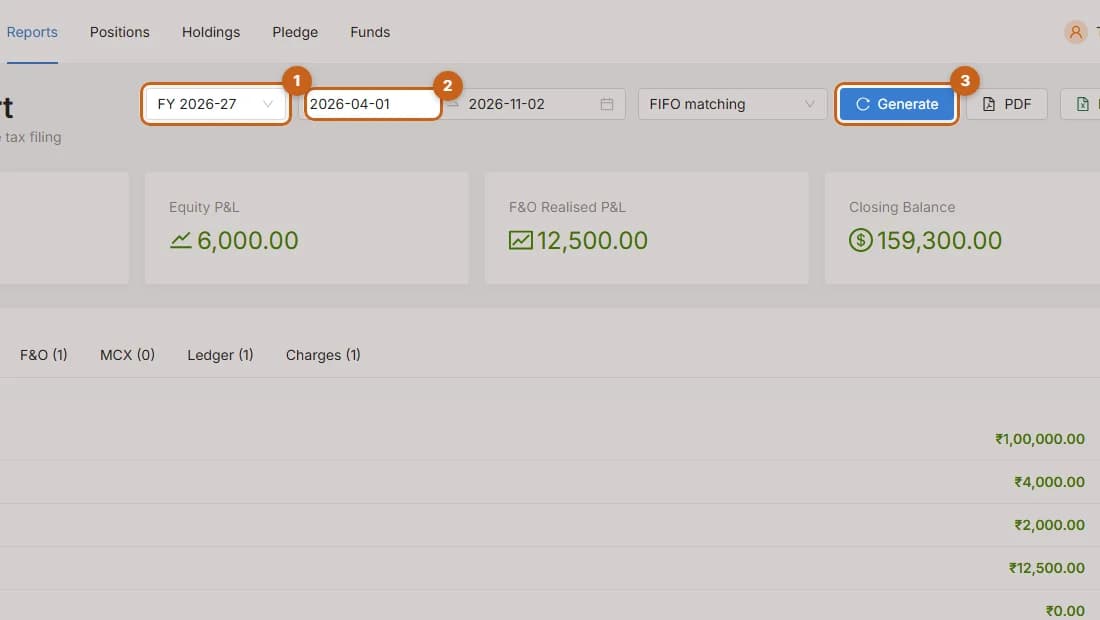
Generate the report
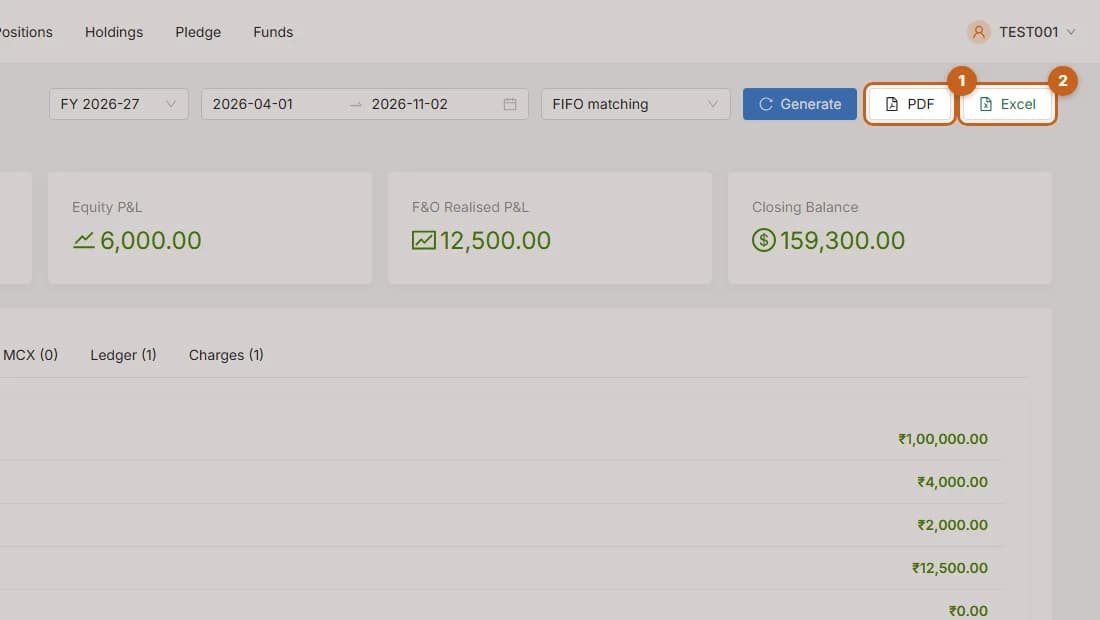
Choose the financial year, period and matching method, then generate your tax P&L report in Axon.
3 steps →Equity: short-term and long-term
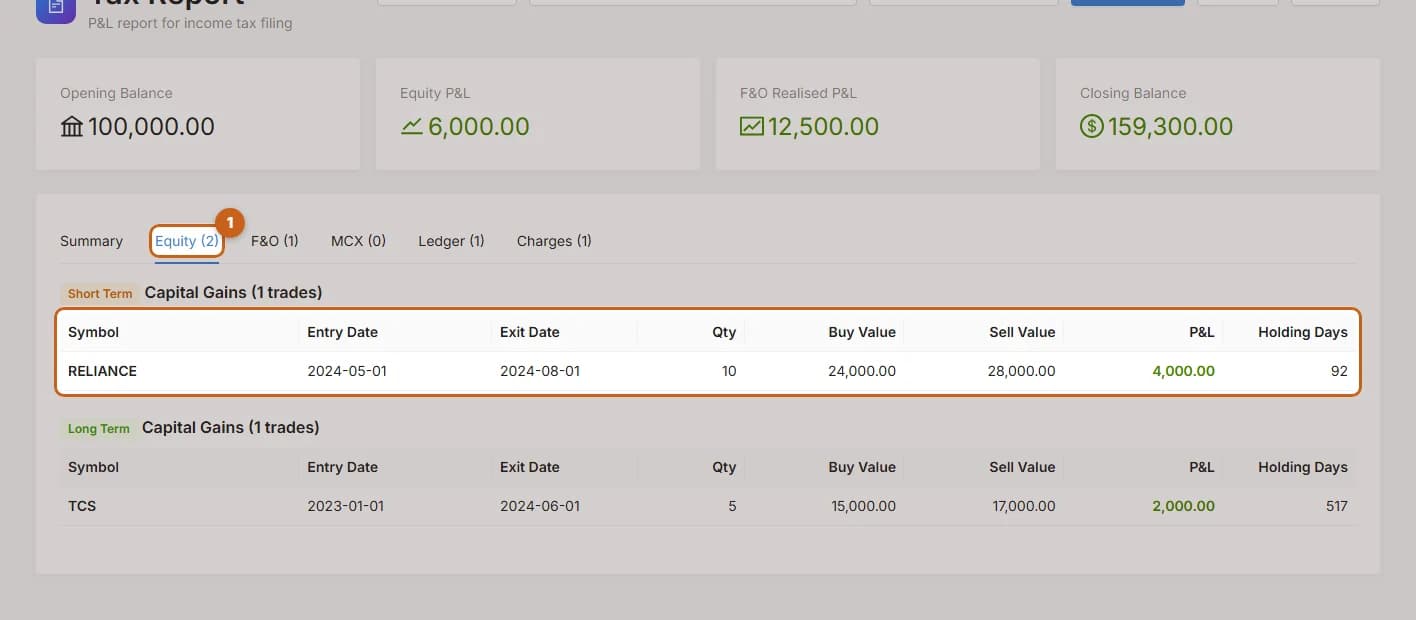
See short-term and long-term equity gains trade by trade in the Axon tax report.
2 steps →Charges and expenses
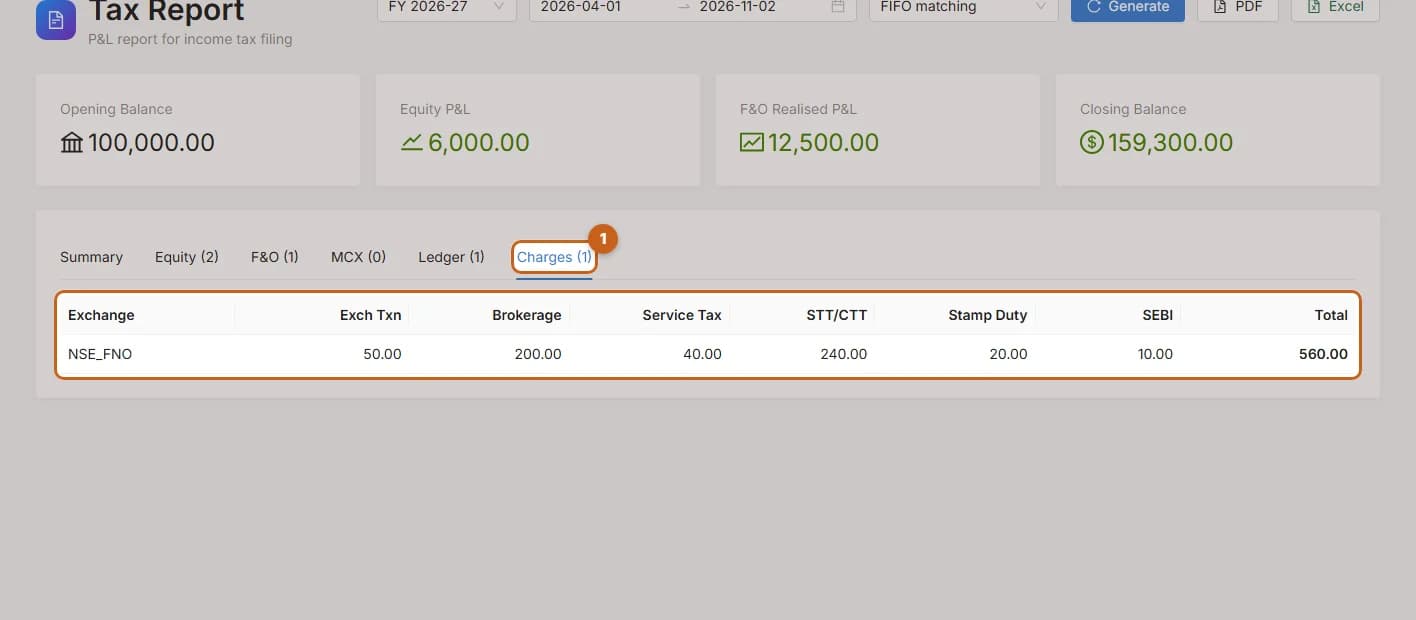
See brokerage, STT, GST, stamp duty and other charges by segment in the Axon tax report.
2 steps →