PocketX app guide

Stock Page, Charts and Option Chain in the PocketX App

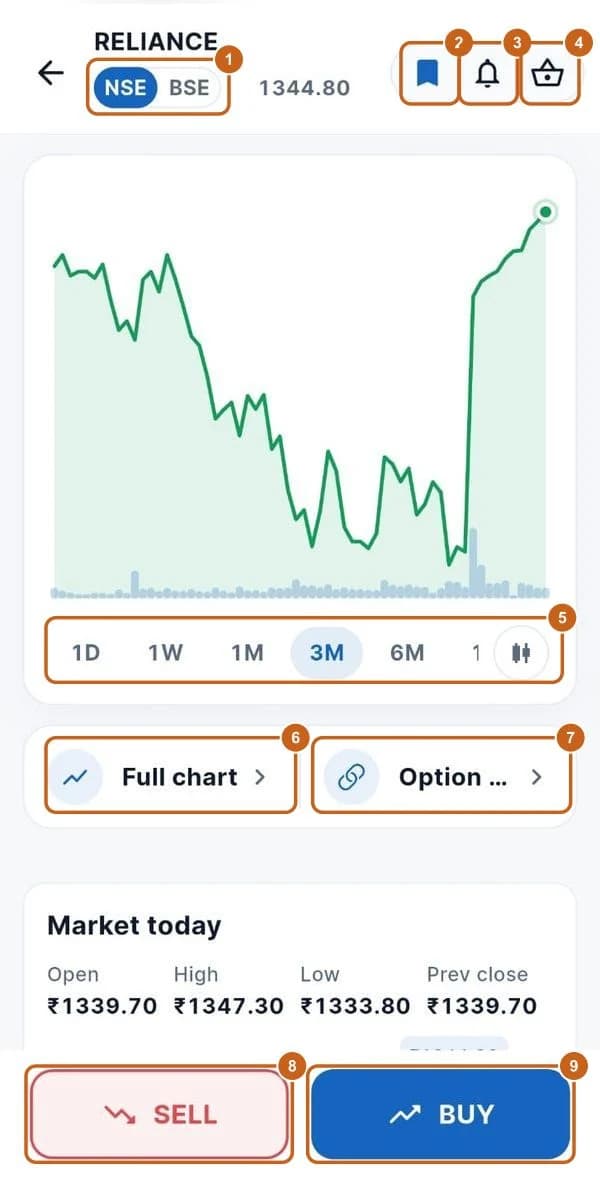
Tap any stock in your watchlist, search or the gainers list to open its page. You'll see its chart, today's prices, market depth, returns, key metrics, financials, shareholding, dividends and a company profile, with SELL and BUY buttons always at the bottom.

  • 5 sections
  • 28 steps
  • 5 min read
Reliance stock page with NSE/BSE, bookmark, alert, basket, chart ranges, Full chart, Option chain, SELL and BUY highlighted

In this guide

  1. The stock page

    The top of the stock page and its buttons.

    9 steps →
  2. Full chart

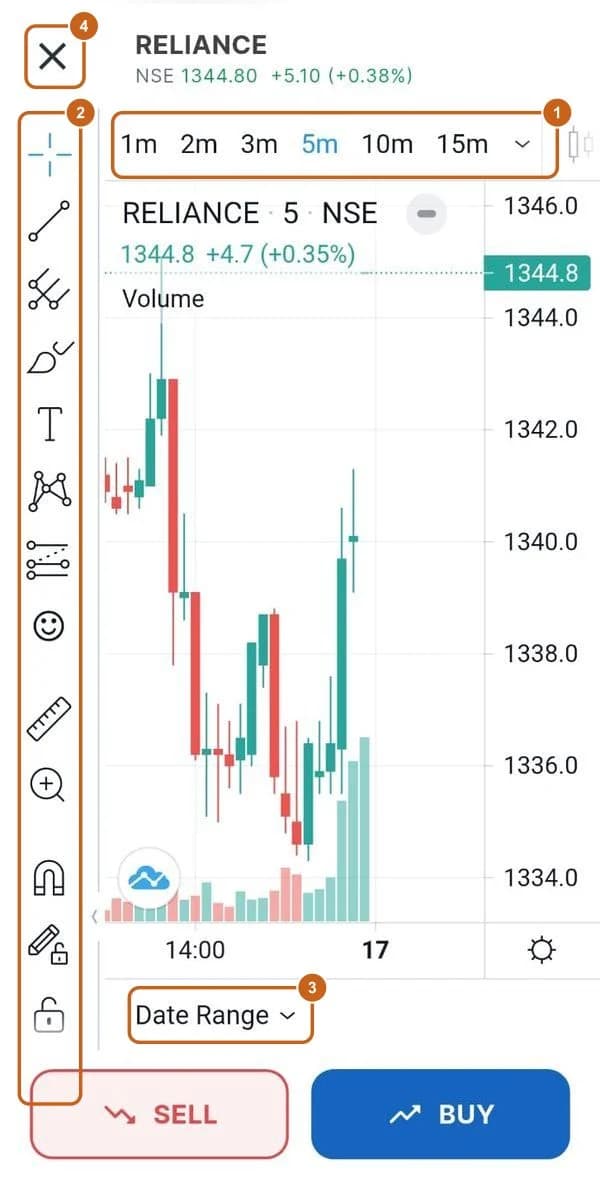
    Candlestick chart with timeframes, drawing tools and date range.

    4 steps →
  3. Option chain

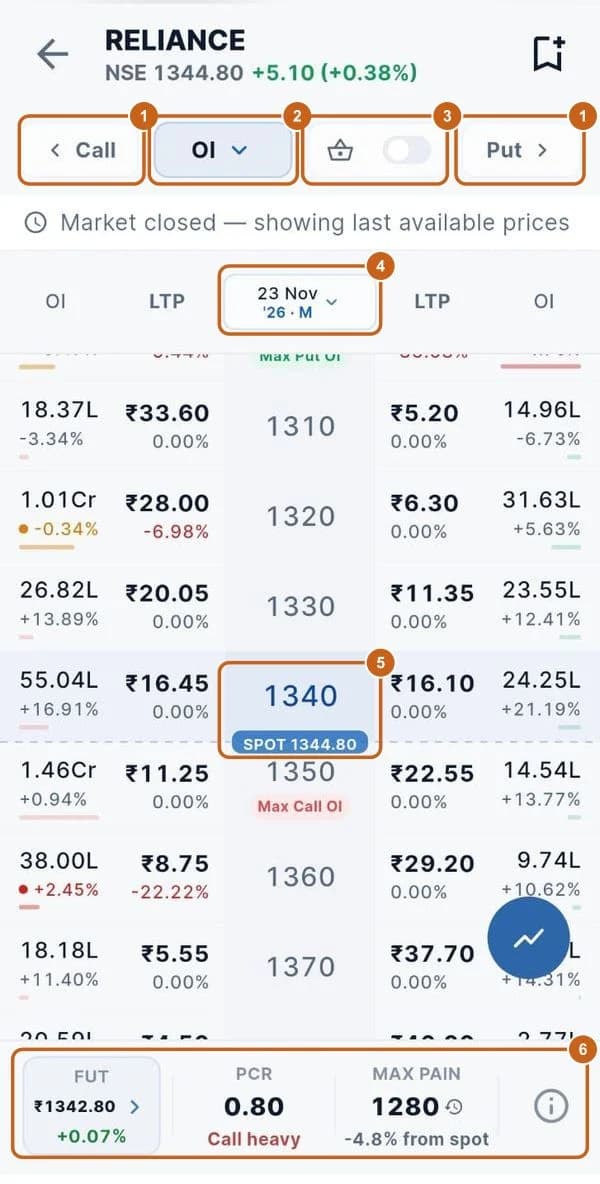
    Calls and puts by strike with OI and LTP, expiry, PCR and max pain.

    6 steps →
  4. Market data and returns

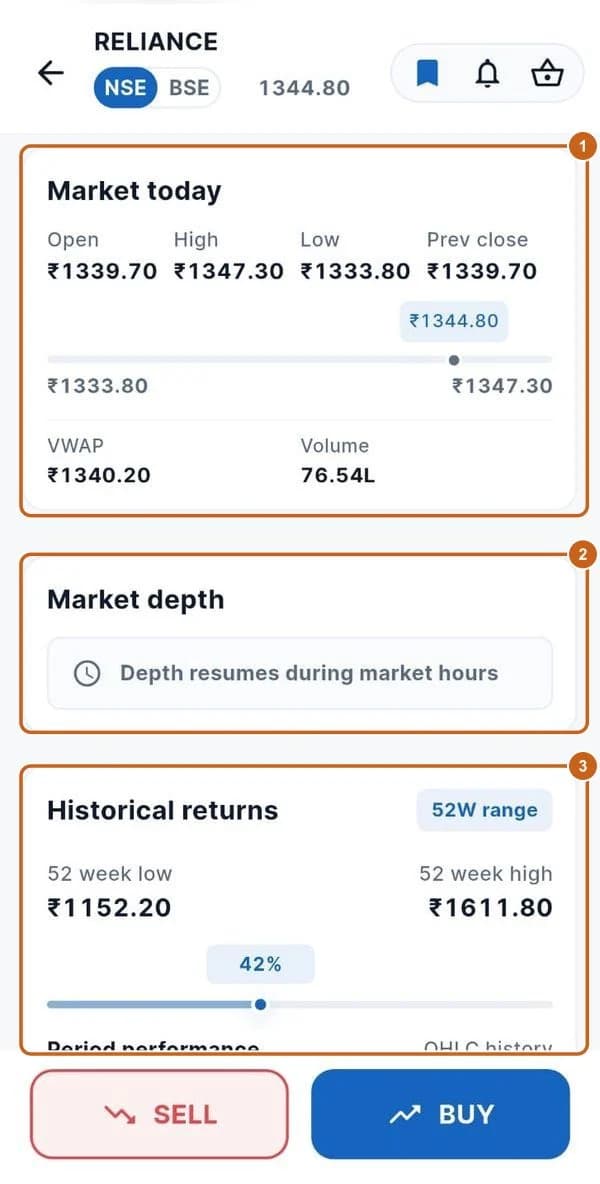
    Today's prices, market depth, 52-week range and period returns.

    4 steps →
  5. Key metrics, financials and company profile

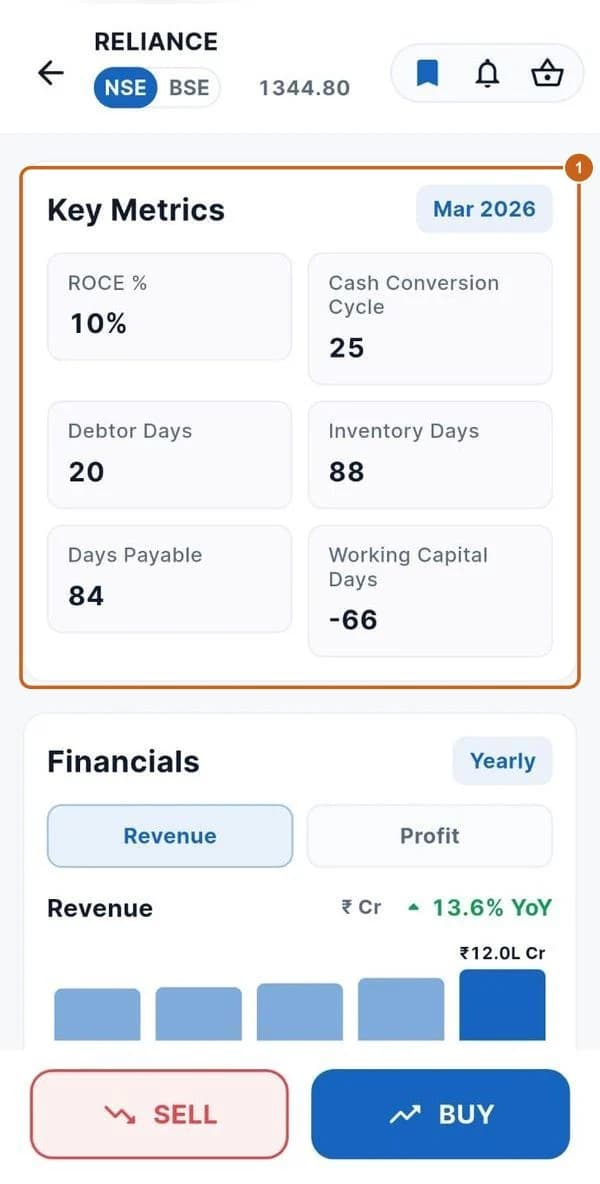
    Ratios, revenue and profit, shareholding, dividends and what the company does.

    5 steps →
Get started with ATS

Open a free demat & trading account, or let us call you back — just leave your number.

Create a Support Ticket

Tell us what you need help with — our team will get back to you shortly. Urgent? Call +91 766 727 3344.